Ask what’s broken. Fix it without leaving the room.
IT Sentinel watches every Windows machine across your branches and answers out loud. Say What’s wrong in Lagos?
and it tells you. Say Restart the print spooler there
and it does — through the same policy check, the same tier ceiling and the same audit trail as every click.
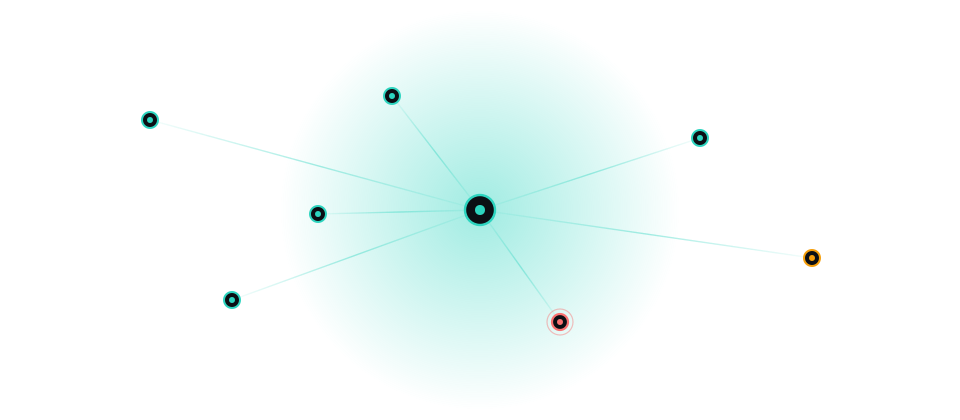
The fleet
This list is not a mockup.
Every branch below comes from the control plane's own roster, re-read at least once a minute. Enrol a site today and it appears here without anyone editing this page.
7 branches enrolled
Nairobi HQ
criticalAfrica
Lagos
standardAfrica
Dubai
standardMiddle East
London
standardEurope
Singapore
standardAPAC
Sao Paulo
standardLATAM
New York
criticalAmericas
Capabilities
Three ways into the same machine.
Monitoring that only tells you something is wrong leaves the hard part to you. Every signal on the board leads somewhere you can act.
Talk to it
A voice agent that knows the fleet. Ask what is wrong at a branch and it reads back the failing checks. Ask it to restart a service and a signed playbook runs on that machine. Ask it to open a machine and the remote session comes up on your screen.
Clicking a row and saying "open Lagos" land on the same panel. One seam, two entry points.
Take the machine
Remote desktop into a branch machine from the browser, with full keyboard and mouse control or view-only. Every session shows a notice that it is being audited, and it cannot be dismissed. There is no covert mode.
The machine's password is decrypted server-side for one handshake and never reaches the browser.
See it happen
Agents report in every fifteen seconds, so the board is never more than one heartbeat behind the estate. A machine that stops reporting flips to a distinct stale state instead of quietly staying green.
Staleness is not health, and the console never lets the two look alike.
Governance
Voice is an input method, not a bypass.
A spoken command gets the identical policy check, the identical tier ceiling and the identical audit-log entry as a typed one. That is the whole point of putting a microphone in front of a system that can execute on the machines it monitors.
Seven action tiers
Each role has a fixed ceiling. Reaching a tier is a property of the operator, never of the request.
- T0ObserveAutomatic, audited
- T1InspectAutomatic, within site scope
- T2DiagnoseSandboxed, timeout-bounded
- T3RemediateOperator confirmation, re-checked server-side
- T4ModifyPassword re-authentication, named approver, ticket
- T5ImpactDual approval, canary, rollback
- T6DeniedRefused unconditionally, under every role
- Nothing gets to name its own tier
- Every action becomes a typed request that a separate executor validates before anything runs. The request carries no authority. A caller claiming a low tier does not get past a deny-list match.
- It cannot edit its own guards
- The deny list matches the executor, the deny list itself, the tier resolver and the app launcher by filename. The agent is structurally unable to rewrite the code that constrains it.
- A logged-in tab is not a human
- Arbitrary execution requires the operator to enter their password again. A session left open on an unlocked workstation is the realistic threat against a console that can run PowerShell on a till.
- Refusals are recorded too
- Every refusal is written to the audit log with its reason. Nothing is silently dropped, so the record shows what was attempted, not only what succeeded.
T6 is checked first, before tier logic
Disabling endpoint protection. Editing the audit log or a session recording. Reading a vault secret. Exposing a machine to the public internet. Granting itself privileges. Destroying user data or backups. These are not permissions anyone can be granted, and they are refused before the executor considers who is asking.
Cross-branch intelligence
The fleet remembers what fixed it last time.
When a fault comes up, Sentinel looks it up across every branch rather than only the machine in front of you. A technician starts from the estate's history instead of from zero.
It also will not overstate what it knows. Below four graded attempts it reports the raw counts instead of a percentage, because a success rate drawn from two data points is a number you would act on and should not.
What it says
“This isn’t new: the printer check has been resolved 11 times across 7 branches. The previous fix was restart-spooler, which succeeded 78% of the time. Ask me for the history if you want the detail.”
How it works
One loop, end to end.
Remote control is a step in this loop, not the product. The product is a continuously-updated picture of the estate that tells you which machine is broken, what is probably wrong, whether it has happened before, and what fixed it last time.
- 01
Monitor
Agents on every branch machine report health on a fifteen-second heartbeat.
- 02
Detect
The control plane derives status, raises the alert and opens an incident.
- 03
Diagnose
Read-only tools answer what is failing, on which machine, and since when.
- 04
Recommend
Recurrence across the fleet surfaces the fix that actually worked before.
- 05
Remediate
A signed, hash-pinned playbook runs, gated by the operator's tier ceiling.
- 06
Remote control
When a playbook is not enough, take the keyboard and mouse yourself.
- 07
Verify
The next heartbeat either clears the fault or it does not. Nobody guesses.
- 08
Document
The action, the operator, the outcome and the policy decision are all recorded.
See it on the live fleet.
The console is the same screen a technician uses: branch sidebar, fleet table, voice bar, and a remote session one click from any row.
Machine data needs a signed-in operator. Sign in.